
Sessions starting next week! Things to know + sign up | June 9, 2026
The first live sessions are starting next week! Here’s what you need to know.

Hi HART Builders and friends!
We are less than two weeks out from our first set of sessions (exciting!).
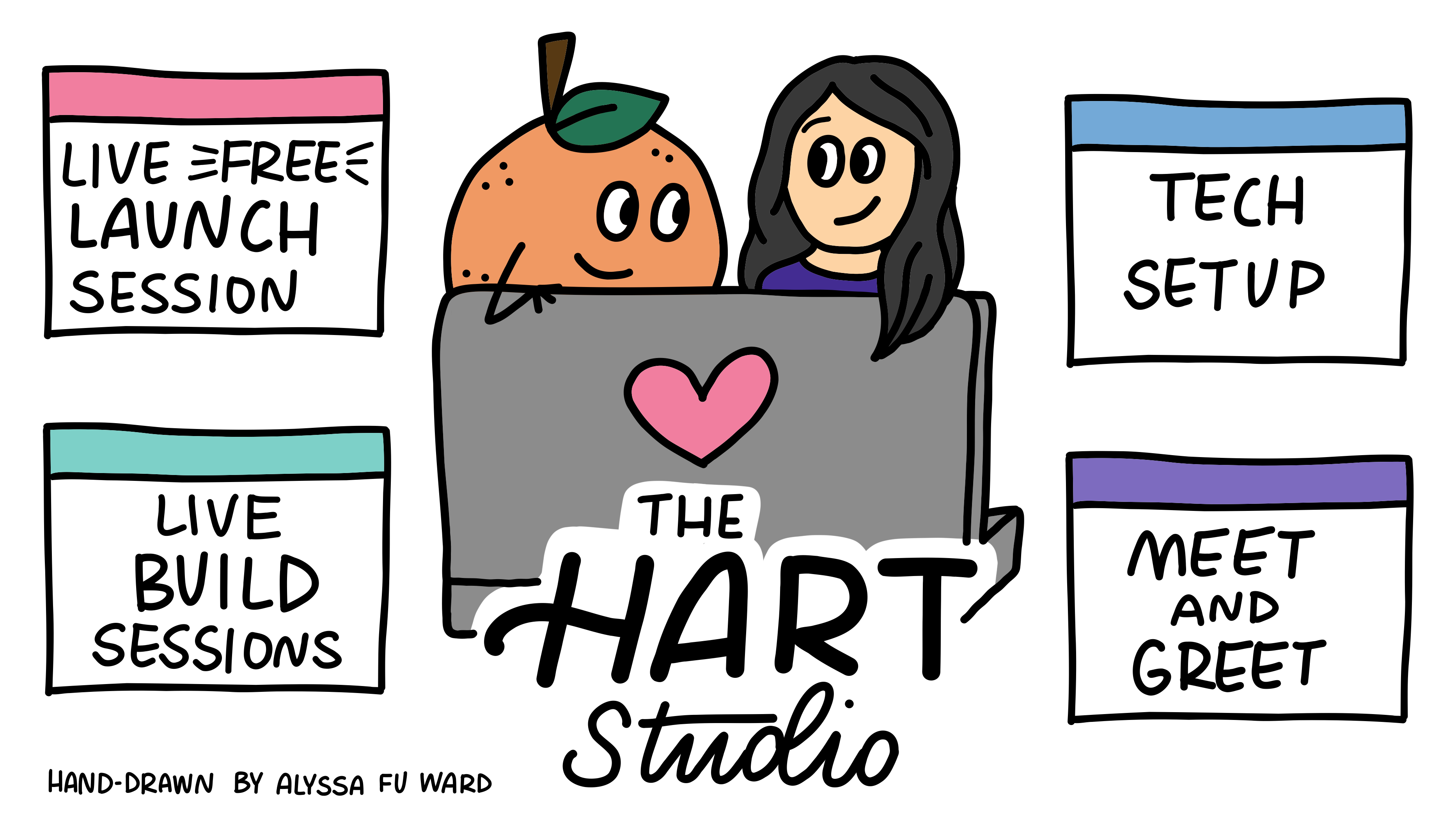
In this post, I cover what to expect for upcoming sessions, specifically:
Live launch session (free and open to anyone) (June 19)
Live build sessions (paid access only) (starting July 17)
What a live build session looks like
Onboarding to the HART Studio (and why the early sessions of the HART Studio are the best time to join)
Tech setup for first set of HART Builders (June 19 + office hours the week of June 29) (paid access only)
(New!) Meet and greet for community building (June 18) (paid access only)
Sign-up links will be emailed to paid subscribers and shared in the community chat.
For future reference, you can find the list of events here.
I will also be doing a Live session on Wednesday at 8AM PT to talk through these details live. I’d love to see you there for discussion and to answer questions!
The Live Launch Session — June 19 (free)
It’s hard to know what “building together with AI” means without experiencing it. Especially because the way I conceptualize and set it up may be different from how another person would set this up.
I am offering an open Live Launch Session on June 19 from 8:30–10AM PT.
What I’ll cover
In this session, I’ll give a brief overview of the HART Studio, then jump into live build demos in Claude and Claude Code. I’ll also show you how to use GitHub as a crucial component to supporting tracking and storing your code changes.
These demos cover the end-to-end build process. This is the building block to being able to build any product or tool, and it’s the same with AI.
I’ll be using a project I built called Open Room. I made this project as an easy way for build newcomers to build with AI with as little friction as possible. I’ll do that first in Claude and GitHub.
Then I’ll do a follow-up example in Claude Code.
A note on tech stack
In general, the following live build sessions will be based in Claude Code. We may branch into other platforms to test them out, but they won’t be the default to start.
If you’re not ready to use Claude Code (it’s only available on paid Anthropic plans), you can try to use Claude or another platform. The experience won’t be as smooth, but you’re welcome to try.
You’re welcome to try the build yourself in this session as I go through it. Because this is a demo, my goal is to demonstrate the process to you. The following live build sessions is where the focus is on you being able to build.
This session is open to anyone interested in learning more about the HART Studio.
Live Build Sessions — starting July 17
Live build sessions will start July 17 and meet at 8:30-9:30AM PT. They will meet every two weeks going forward at the same time.
If this time doesn’t work for you, let me know, especially if you’re on APAC time.
Access to Live Build Sessions require a paid subscription. Subscribe now to be part of the build. To celebrate the launch of the Studio, get 40% of an annual subscription until July 29.
What a live build session looks like
The general structure of a live build session will look like this.
I will set the focus either through a guided demo (like in the live launch session) or even a simple prompt.
Open building time where you can run with an idea, ask questions, get feedback or help if you get stuck. Most of the time, I will walk through the build again step by step so you can do it with me.
Share what you’ve made in whatever way is comfortable me for you.
Why this works
There are several things I like about this setup.
It prioritizes build time. I want you to be able to get your hands on the keyboard, talking to an AI, and getting an output.
We all use AI differently. As we build, we will often find that the AI output won’t be pretty. It may not work. In fact, I anticipate it won’t work and often! That’s a good thing. By building as a group, we’ll get to see many examples of what AI can do given the same starting point. We’ll get to see how different ways of thinking can produce different results.
We all come with different building experiences. Whether you are a newcomer to building with AI or you have experience building with AI, you can get something out of the session. Let me give you an example.
No matter your experience level, you’ll get something out of this
Let’s say our build for the session is to create a dashboard to visualize Substack subscriber growth over time. We all download our individual Substack data, and we’re all at the same starting point.
We then start with a similar prompt — “Build for me a dashboard that visualizes my Substack growth over time.”
From there, an experienced builder may already know how to review the output, give new instructions to the AI to modify the dashboard, add more features, and push all the code through version control. And hopefully what they add to their dashboard is something they haven’t tried before, so they can learn something new.
For the new builder, it may be that the focus of the session is getting the first visualization to work and pushing the first iteration through version control. What they get at the end is building up their confidence.
How we build on our builds over time
Let’s say, in the next session we carry over this example.
We all open up our dashboards again. Maybe some of us have continued to develop on it. Maybe some of us haven’t done anything since we last met. And all of that is okay.
In this session, maybe you add a new feature, like add a new page or make a tooltip appear when you click on a datapoint. Or you keep working on a feature you couldn’t get to work last time. Across all these examples, I’ll be there to help you.
For the experienced builder, they may kick that off in a jiffy and work in a more self-directed way.
For the newer builder, they can follow along with me and each other to create the new feature. Or they can also be self-directed to test an idea, then ask for help if they get stuck.
How we make these build sessions helpful for all of us will be an experiment. Whatever the format, whatever happens, I know we will all learn together what works for us as a group and as individuals. I am also fully prepared to shift the format based on what works for us.
Onboarding to the HART Studio
Because the upcoming sessions are the first for the HART Studio, I want to make sure you feel supported to succeed in your builds. So I made the first three sessions completely focused on onboarding. They also build on each other.
This is the best time to join the HART Studio because we will sink into the onboarding across multiple sessions. After this, I will only offer occasional single onboarding sessions.
Here’s what these three onboarding sessions look like.
Session 1 — Getting started (July 17)
In the inaugural live build session, we’ll go end to end through a full build process.
This will basically be a deep dive of what I cover in the live launch session.
You’ll start with an idea, develop something toward it with Claude Code, and track the changes through GitHub (version control). One thing you’ll do that I won’t cover in the live launch session is you will go through the review process to launch what you created live.
We’ll also be working in Claude Code. You can try this in Claude, but I won’t be addressing it directly.
We’ll be using the project I built called Open Room, which is stored in GitHub. So it’s easy to access, and the infrastructure is already set up for you so you can just hop into a build.
In this session, you will create a room, and through a process shepherded by Claude Code (through a skill).
I ran my mother and daughter through this project a few months ago. I share the video and process below if you’d like to get a sneak peek.

This session will give you the full builder experience at its most basic. After completing this session, you will have done the essential building block for any build.
If you are a more experienced builder, this is still a really fun exercise to play around in setting up a web space.
Session 2 — Make it a habit (July 31)
Beyond being Harry Potter’s birthday, we will use this session to practice what you learned in Session 1.
In this session, we’ll stay in Open Room, and we’ll revisit the room you built in Session 1. If you weren’t able to get through the full build, you’ll do it in this session.
Otherwise, you will be able to add features to your room like add a new room, add hot spots, change the images. Anything you can think of in the constraints of what is possible to do with the current setup.
What this session will give you is the experience of iterating on something you already started to build.
Session 3 — Make it your own (August 14)
In this third onboarding session, we’re going to step out of Open Room, and you’re going to create your own project.
Specifically, we’re going to walk through how to set up your own GitHub repository to track and store changes you make to your project.
Start thinking now about something you would want to build. Feel free to share it in the community chat. I’m happy to comment on any ideas.
The important piece will be to identify the smallest starting step so that you can get something working in this one session.
The goal here for me is less about the actual project and more about getting you comfortable with the steps of building your own project with AI.
For example, you’ll talk to Claude Code to help you create the repo, create a first prototype, test it, and deploy it so you can see it live.
After these three sessions, you’ll have what you need to jump into any following build!
For any readers who onboard after these three sessions, there will be occasional single onboarding sessions to help you get started in addition to the video recordings of these initial onboarding sessions.
Now the next thing to consider is— getting your tech setup set up so you can actually build all these builds.
Tech setup — let’s get you ready
Tech setup usually happens once for your overall environment, then you’re good to go with only minor additions as needed. What that means is I often forget about what it’s like to do tech setup. And how hard it is to do.
The thing to remember about tech setup is anything can happen, so don’t expect it to work right away. And unless you’re in IT, don’t expect to know why it works and why it doesn’t.
Tech setup is also a time where you need to pay special attention to safety and security issues because you will be moving around your system to install new tools and packages.
This is one reason why I want to make sure to provide you hands-on support to make sure your tech setup is set up properly.
A note on security
I am not a security engineer. I have worked in tech for over 10 years, so I can share what I’ve learned over the years. In the end, what you do on your system is your responsibility. If there is anything you don’t feel comfortable doing, you can stop and revisit your options at any time.
As part of the first group of HART Studio, you’ll have the most support at this stage. Future members will have similar support, but it may not be as extensive.
Group tech setup — June 19, 9:30AM PT
(after the live launch session)
I am offering a 30 minute session after the live launch session to walk through the tech setup together — specifically installing Claude Code and setting up GitHub to work with it.
We’ll try to troubleshoot any individual cases as much as we can together in this group session.
If we aren’t able to get you completely set up in that time, there will be office hours.
Office hours the week of June 29-July 2
I’m offering office hours the week of June 29-July 2 daily Monday through Thursday where we can meet about your individual setup during a 15-30 minute timeslot.
These sessions will also be open, so any HART Builder can attend. This can be a really helpful way to unblock yourself if you see how other people get through their tech setup.
Monday and Wednesday have office hours from 2-3PM PT. Tuesday and Thursday have office hours from 9-10AM PT.
To sign up to attend the session as an observer and/or a specific timeslot to get support on your setup, go here.
Preparing for the tech setup sessions
To make the most of our time together, try to do the setup as much as you can ahead of time. That way, we can jump right in to where you’re getting stuck.
If you do find yourself getting stuck, take screenshots of the errors you’re getting, or better yet, leave the session open, and we can try to pick up where you got stuck.
Last, but not least, the HART Studio isn’t just about the technology. It’s about us as humans and how we’ll get to learn from and build with each other.
Community — the part that matters most
The HART Studio is about building, but it’s not just about building. It’s also about community. In fact, I think that’s the most important part, and what makes the HART Studio different from other AI resources.
Starting a community isn’t just about getting people in a room and hoping magic will happen. Developing a shared culture requires intention and scaffolding.
So, I have added a new session where we can do just that.
(New!) Meet & Greet — Thu June 18, 2-3PM PT
As the starting members of the HART Studio, we are the ones who will shape what this space will look like.
Part of that means feeling safe to talk to each other, share what we’ve built so we can learn from each other — and celebrate each other.
Share what is comfortable for you
Not everyone is comfortable with sharing about themselves, so only do what you feel comfortable with.
What I would gently encourage is — the more we share with each other, the better your experience will be.
I really don’t want to be the only one talking in the room. I am just one voice and set of experiences. The value of this is going to come from each of you and what we create as a group.
Another benefit of sharing your experience in a safe space is you’ll learn how to talk about what you can do with AI. And that can build confidence as much as getting the build to work!
A note on confidentiality
I encourage sharing what you’ve learned in the HART Studio. Many of us have publications, which is a great forum to share about your experience. Keep in mind not to share any personally identifying information with explicit permission from the person who gave that information.
In the spirit of building, please bring to the Meet and Greet something you’ve built or created with AI. You don’t have to have used code to make it. It can be anything that sparked something in you, either that you’re proud of or that you enjoyed making. It could even be something that went horribly wrong but you learned from it.
My hope is this session will help us get to know each other, practice talking with this group, and give us ideas for future builds.
Sign up for the Meet and Greet session here.
What you build is not small
The HART Studio is a place for you to explore, play, learn, and share what you’ve built.
I often see people say, “Oh, this is nothing, it’s not a big deal,” when I tell them they should share what they’ve built with AI.
That’s the imposter syndrome talking.
What I’ve seen time and again is — you may feel like it’s small, but it’s not. No matter what you created, people get something out of it. And if they don’t, that’s on them, not on you.
Think of your experiences as planting seeds.
Even if you created something that you don’t like or you’re worried isn’t safe or reliable enough yet, it’s still valuable.
And most of the time, you’re going to build something that amazes you and surprises you. If you are thinking critically and being true to yourself, that’s what you’ll put into the AI, and that’s what it will return.
And when we all do that together, our work becomes a force multiplier.
Let’s bring all these ideas into the HART Studio and create new builds around them. I can’t wait to see what will emerge.
And that’s all for things you need to know going into the next few weeks! Let me know if you have any questions either in the community chat, comments, or DM.
Love this. I’m excited